Course Material Adoptions, On Time. Every Time.

Adopt Demo

Adopt brings every instructor's course material list into one place - reviewed through a single approval workflow instead of scattered emails and spreadsheets. Institutions get clean, complete adoption lists on schedule, term after term.

Tired of chasing adoptions down through email, spreadsheets, and hallway conversations? Adopt gives every instructor one online portal to submit materials - so nothing falls through the cracks, and nothing shows up late.
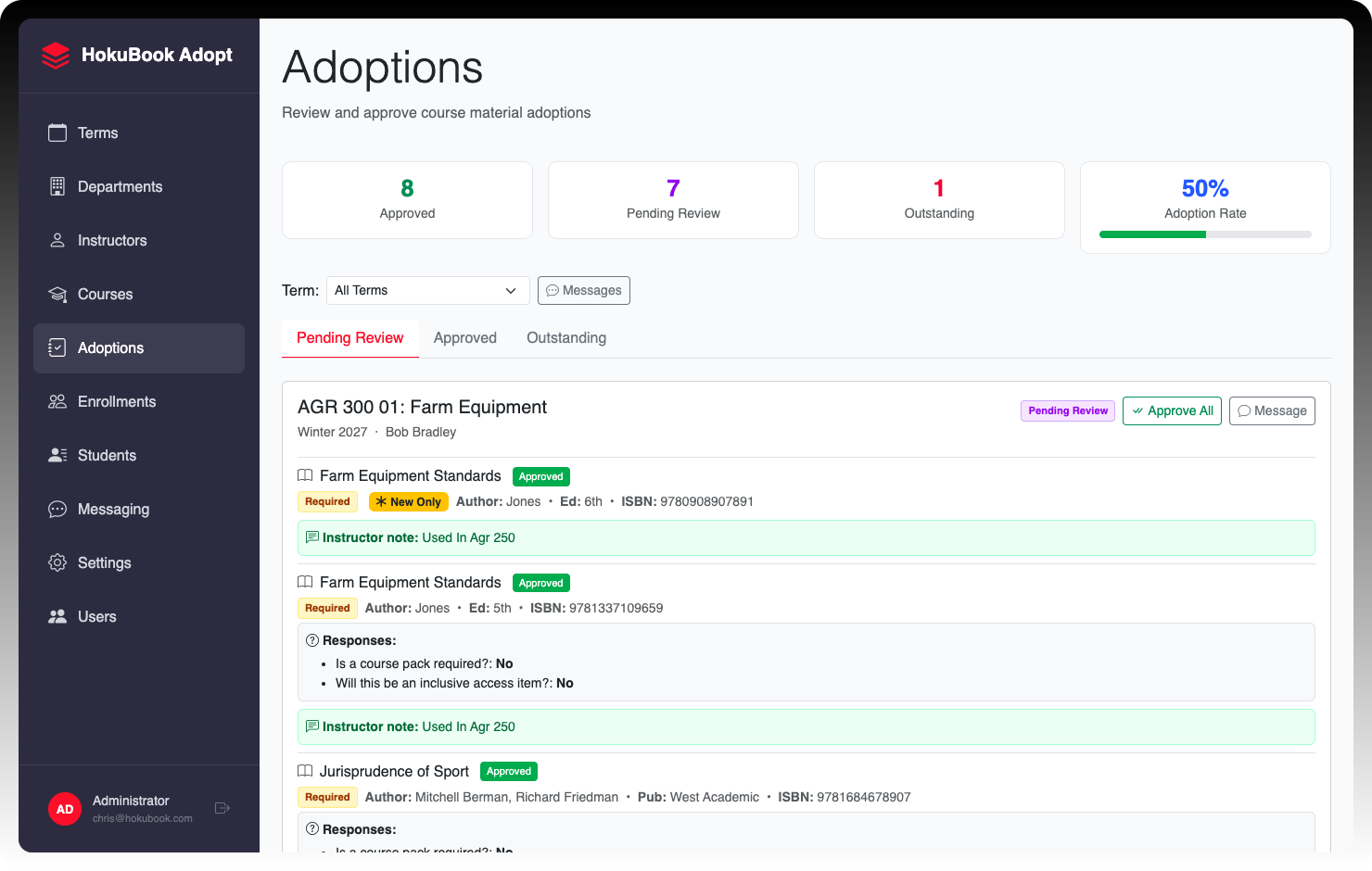

Adopt admin dashboard showing pending, approved, and outstanding adoptions
ellipse-img

Why Choose Adopt?

Approval Workflow

Materials move from outstanding to approved through one clear pipeline. If something needs to change - a new edition, an out-of-print title, anything else - admins can send it back for revision with a comment explaining what's needed. Once everything's approved, the course locks automatically, giving you a reliable, final list to order against.

No More Guessing on "No Materials"

Instructors can explicitly flag a course as requiring no materials. It's treated as a complete response, so you always know the difference between "nothing needed" and "hasn't answered yet."

Copy Forward in One Click

Materials from repeat courses can be pulled into the current term in a single click and adjusted as needed - cutting down on late or missing submissions term after term.

Built-In Messaging

Message instructors directly inside the system, tagged to a specific course or material, so context is never lost to a separate email thread.

Automated Reminders

Configure scheduled reminders that go out automatically to instructors with outstanding adoptions, on whatever cadence works for your calendar.

Passwordless, Secure Access

Instructors log in with a one-time email code - no password to create, remember, or reset.

Role-Based Admin Access

Give staff access to only the modules they need - Terms, Courses, Messaging, and more - with restricted modules clearly marked.

Bulk Data Import

Upload departments, courses, and instructors via CSV, with per-row feedback on exactly what succeeded and what needs a second look.

Partner with HokuBook

Adopt turns scattered adoption chaos into one accountable workflow. Adopt keeps every instructor accountable and every course adoption on schedule - no more late materials, no more guessing.

Adopt Demo

Want to Learn More?

See how HokuBook can simplify sourcing, buyback, and inventory management for your organization. Schedule a quick demo with our team to explore features, pricing, and workflows tailored to your needs.

Full Suite Demo

Frequently Asked Questions

What happens if an instructor submits materials late or needs to make a change after approval?

toggle

Instructors can edit their materials while in pending or revision status; any edit resets that material to pending so it gets reviewed again. Admins can edit any adoption at any stage regardless of status.

How do we know if an instructor genuinely has no materials to assign, versus just hasn't responded yet?

toggle

Instructors can explicitly mark a course as "No Materials Required." It's treated as a complete response, so there's no ambiguity between "nothing needed" and "hasn't answered."

Do instructors need a password to use their portal?

toggle

No. Instructors log in with a one-time email code - no password to create, remember, or reset.

Can we require instructors to answer specific questions when submitting an adoption?

toggle

Yes. Admins can configure school-wide custom questions (e.g., "Is a used copy acceptable?") that instructors answer per material, so your team has context at a glance.

How do we get reluctant instructors to actually submit on time?

toggle

Automated, scheduled reminders go out to instructors with outstanding lists, and materials from repeat courses can be copied forward from last term in one click - reducing the two biggest causes of late adoptions.

Can we limit what different staff members can see or edit?

toggle

Yes. Role-based access lets you grant staff access to only the modules they need (Terms, Courses, Messaging, etc.), with locked modules clearly marked.

What happens when a material needs to change - a new edition, an out-of-print title, or something else the instructor didn't anticipate?

toggle

Admins can send any material back for revision with a comment explaining what's needed - no separate email required. The instructor sees exactly what to fix, updates it, and it flows back into the approval pipeline automatically.

Scroll up