Registration and Course Materials, Connected.

Enroll Demo

The gap between registering for a course and knowing what to buy is where students fall through. They find out on the first day of class, buy from an old list, pick up the wrong edition, or don't buy at all. Enroll closes that gap by connecting course registration directly to confirmed material requirements.

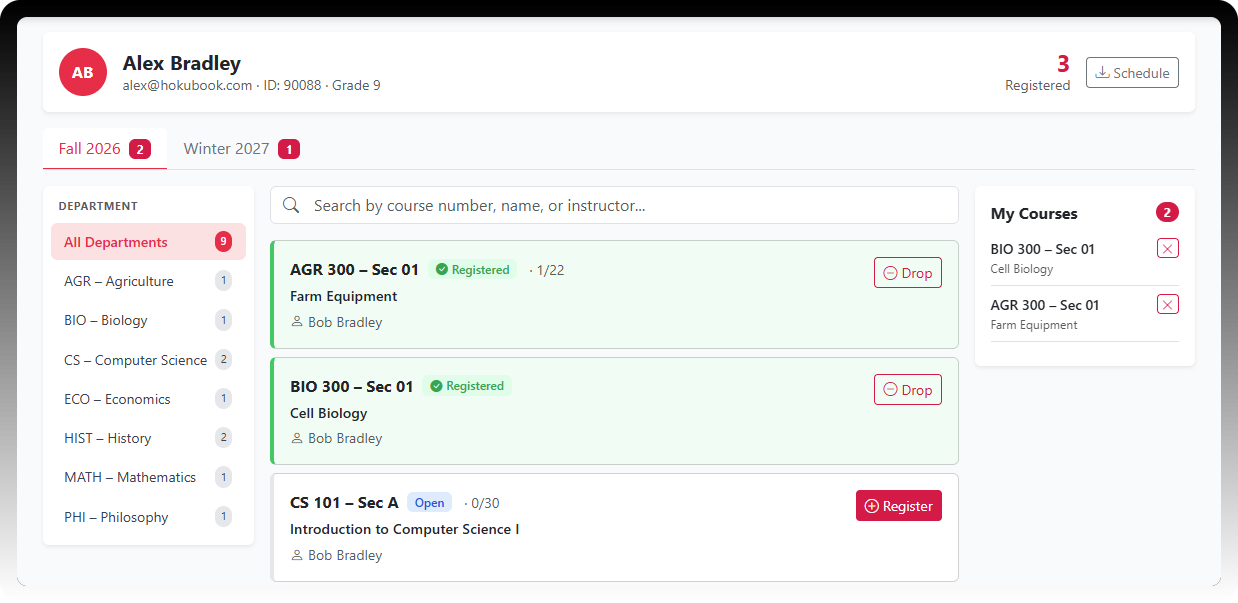
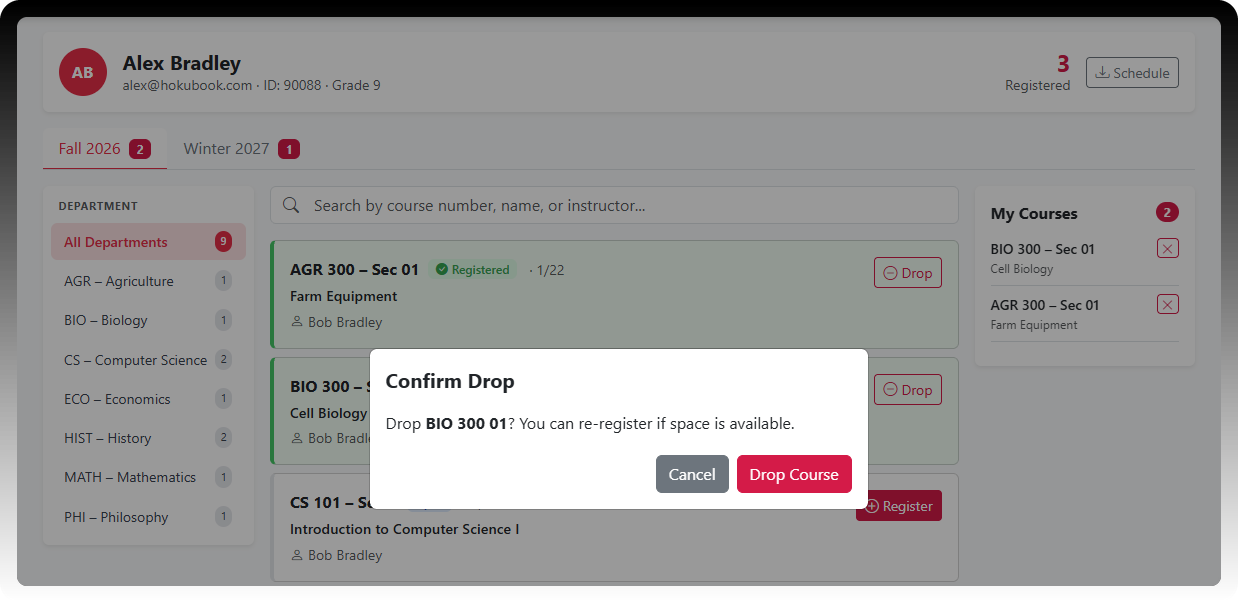
Students search the catalog, register for their courses, and see the required and recommended materials for each one - the exact title, edition, and ISBN their instructor approved. Every registered course lives in one My Courses list, and the full schedule downloads as a PDF to save or share.
ellipse-img

Why Choose Enroll?

Materials the Moment They Register

Students see what each course requires as soon as they register - not the morning class starts. Required and recommended materials appear per course the moment the adoption is approved in Adopt.

The Right Edition, Every Time

Every listing shows the exact title, author, edition, and ISBN the instructor confirmed - pulled straight from the approved adoption, never a draft or last term's list.

Find Any Course Fast

Students search the catalog by course number, name, or instructor, and narrow results by term and department.

My Courses and a PDF Schedule

Every registered course lives in one running list. Students download their full schedule and material list as a PDF to save, print, or share.

Parents Stay Informed

For K-12 institutions, parents and guardians log in with their own email to see registered courses and required materials - no phone calls, no shared passwords. Everyone signs in with a one-time email code.

Straight to Checkout

Using Virtual Store? Registered courses load automatically, so students can go straight from registration to checkout.

Partner with HokuBook

Enroll turns course registration into the moment students learn exactly what they need. Students who arrive knowing what to buy buy sooner, and buy the right thing - no more wrong editions, no more first-day surprises. It's part of a five-product suite covering the full material lifecycle, from sourcing with Source to student buyback with Online Buyback.

Enroll Demo

Want to Learn More?

See how HokuBook can simplify sourcing, buyback, and inventory management for your organization. Schedule a quick demo with our team to explore features, pricing, and workflows tailored to your needs.

Full Suite Demo

Frequently Asked Questions

When do students see their required materials?

toggle

As soon as the adoption for that course is approved in Adopt. Required and recommended materials appear per course, so students can see what they need right when they register.

How do we know the materials students see are the final list?

toggle

Enroll pulls directly from approved adoptions. Students see the exact title, author, edition, and ISBN the instructor confirmed - not a draft, not last term's list, not a placeholder.

Do students need to create an account or remember a password?

toggle

No. Students sign in with a one-time code sent to their email - no account to create and no password to reset.

Can parents see what their student needs?

toggle

Yes. Parents and guardians log in with their own email to view registered courses and required materials, using the same one-time email code.

How do students find their courses?

toggle

Students search the catalog by course number, name, or instructor, and filter by term and department.

Can students save or print their schedule?

toggle

Yes. Students can download a PDF of their full registered schedule with the materials for each course, ready to save, print, or share.

Do students have to re-enter their courses when they go to buy?

toggle

No. Registered courses load automatically in Virtual Store, with every required and recommended material already listed.

Scroll up