Courses. Materials. Students. All Connected.

Virtual Store Demo

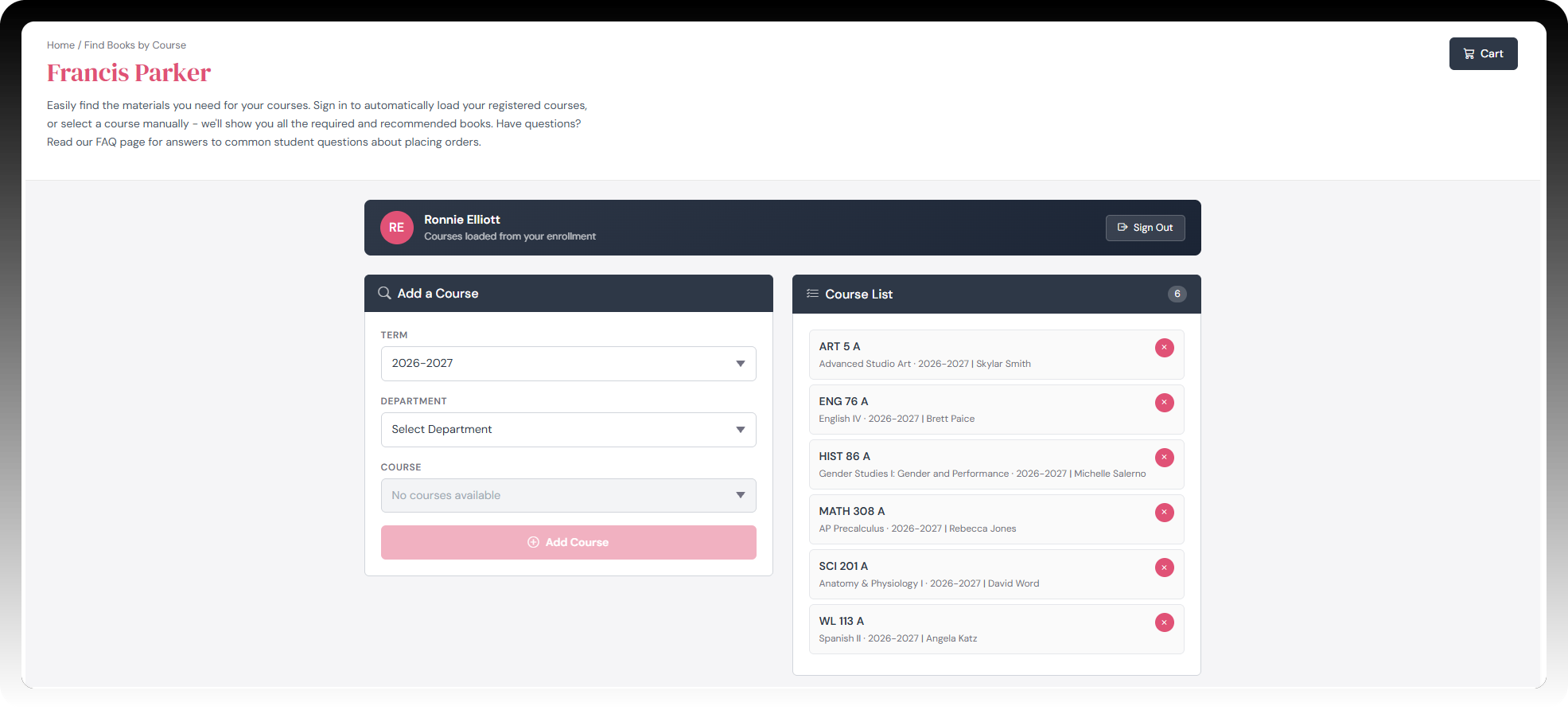
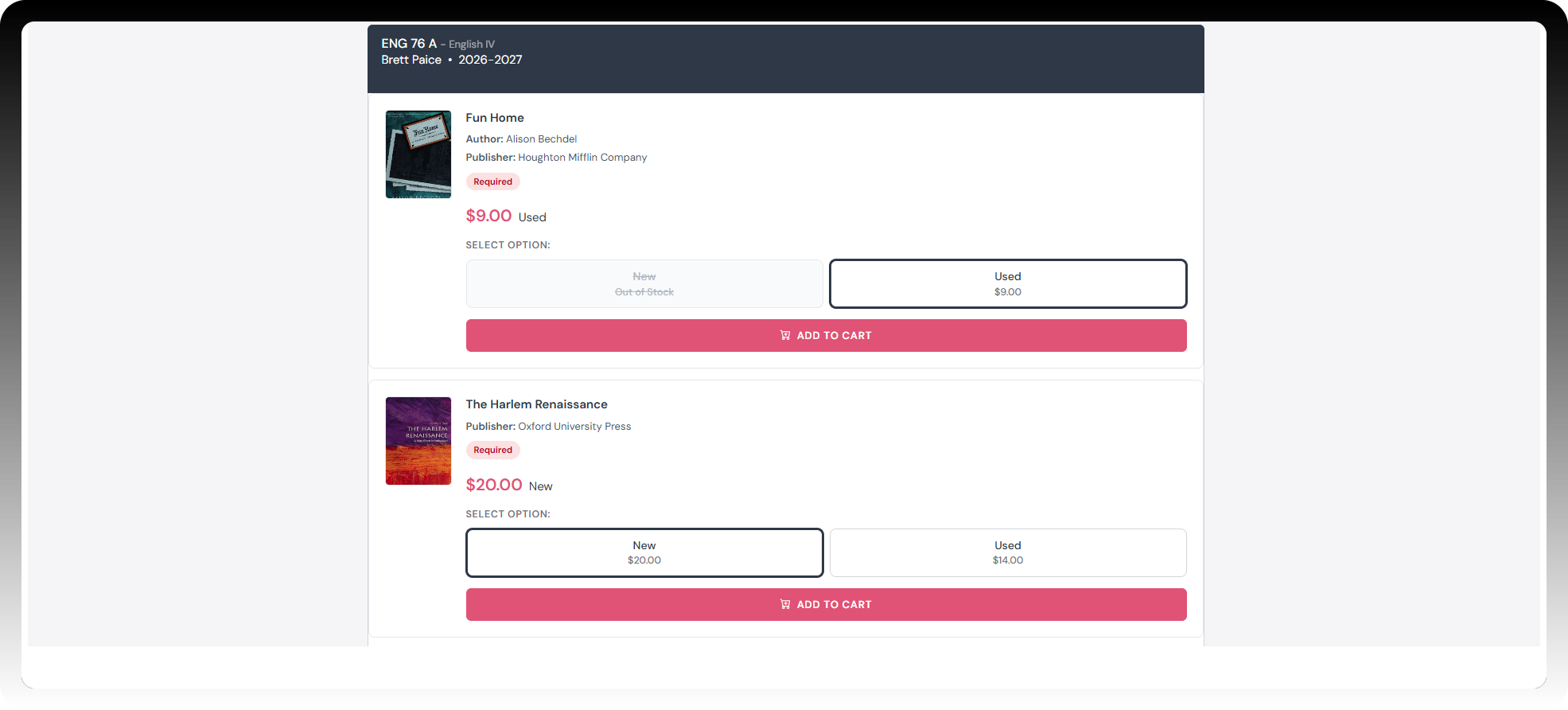
Course material shopping usually starts with a stack of unknowns - the right edition, the right ISBN, whether the instructor requires the books. Virtual Store removes the guesswork — the moment a student signs in, every enrolled course loads automatically, with the exact required and recommended materials.

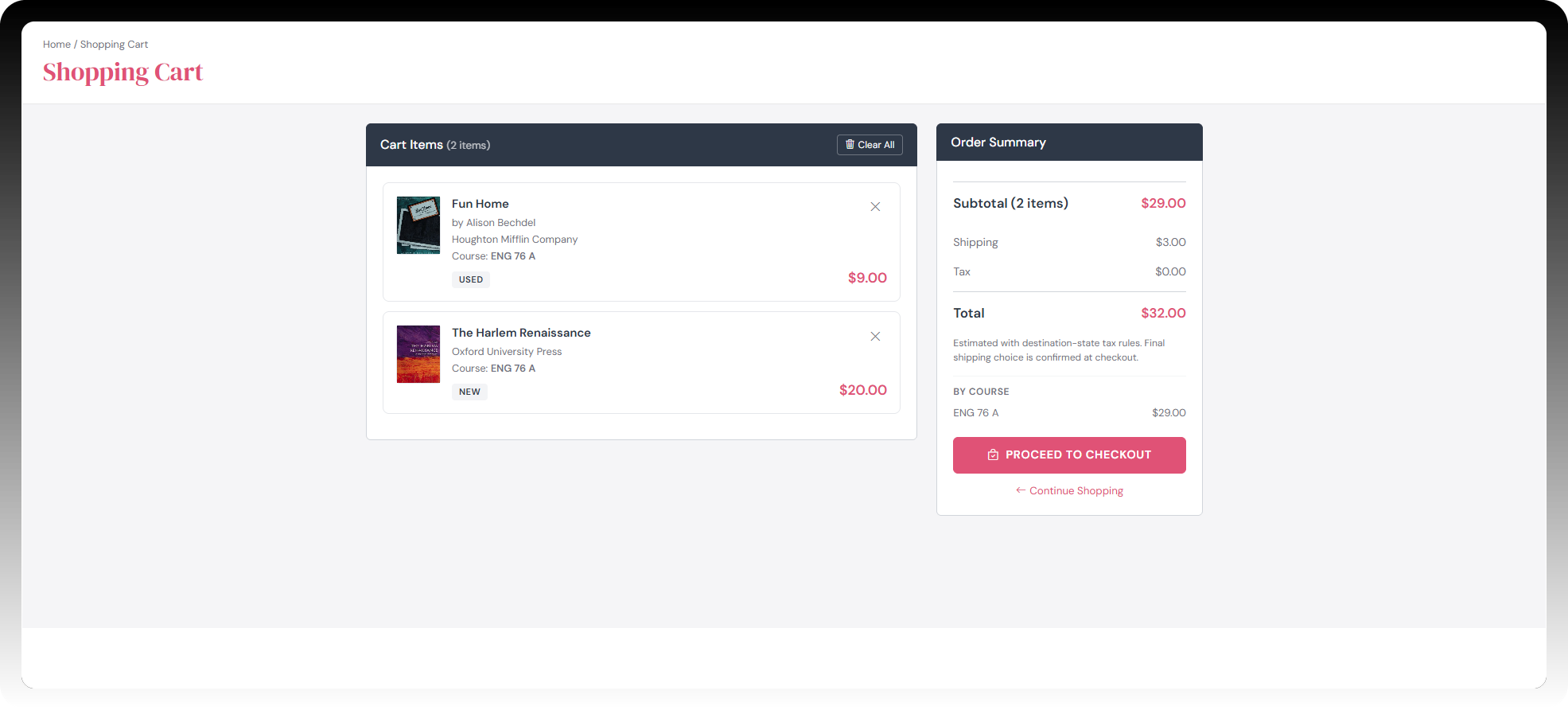
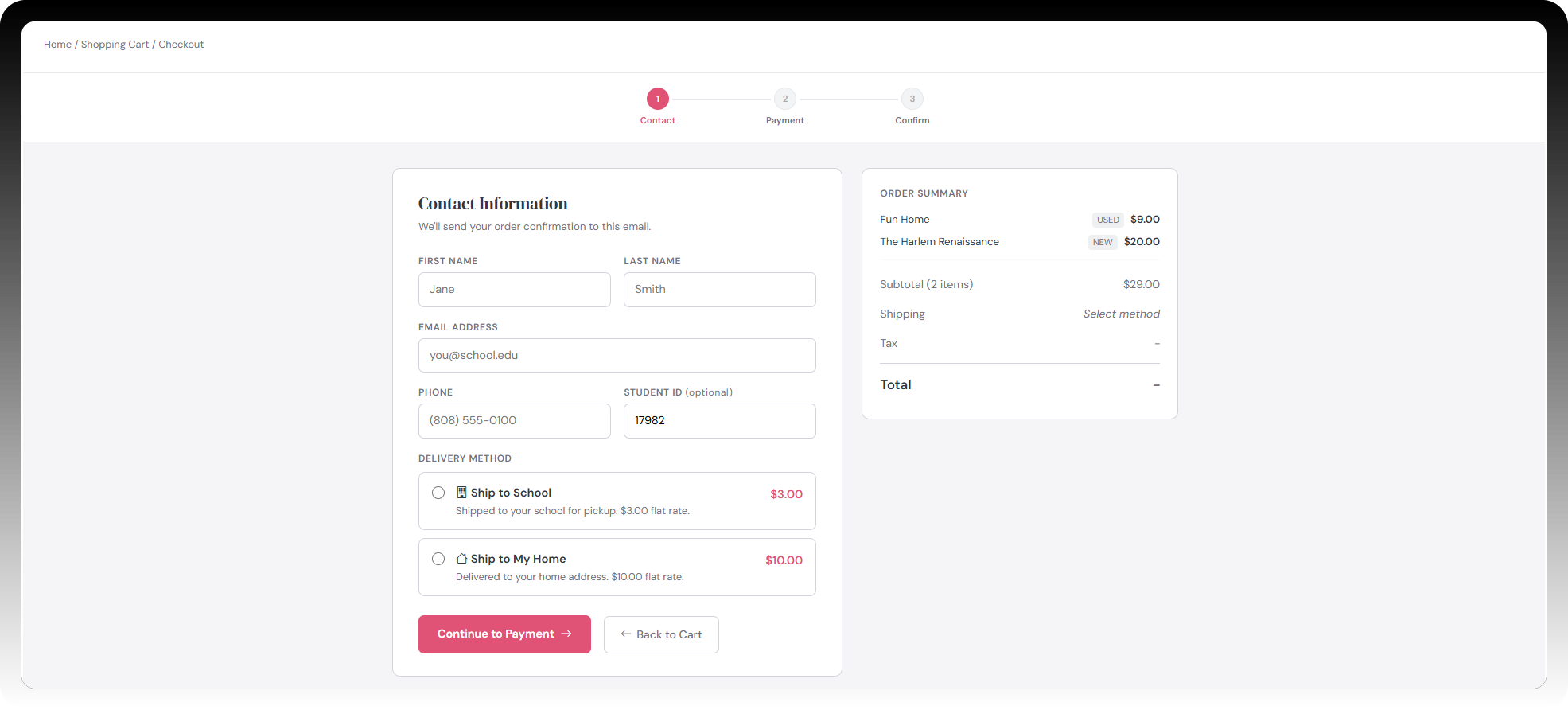
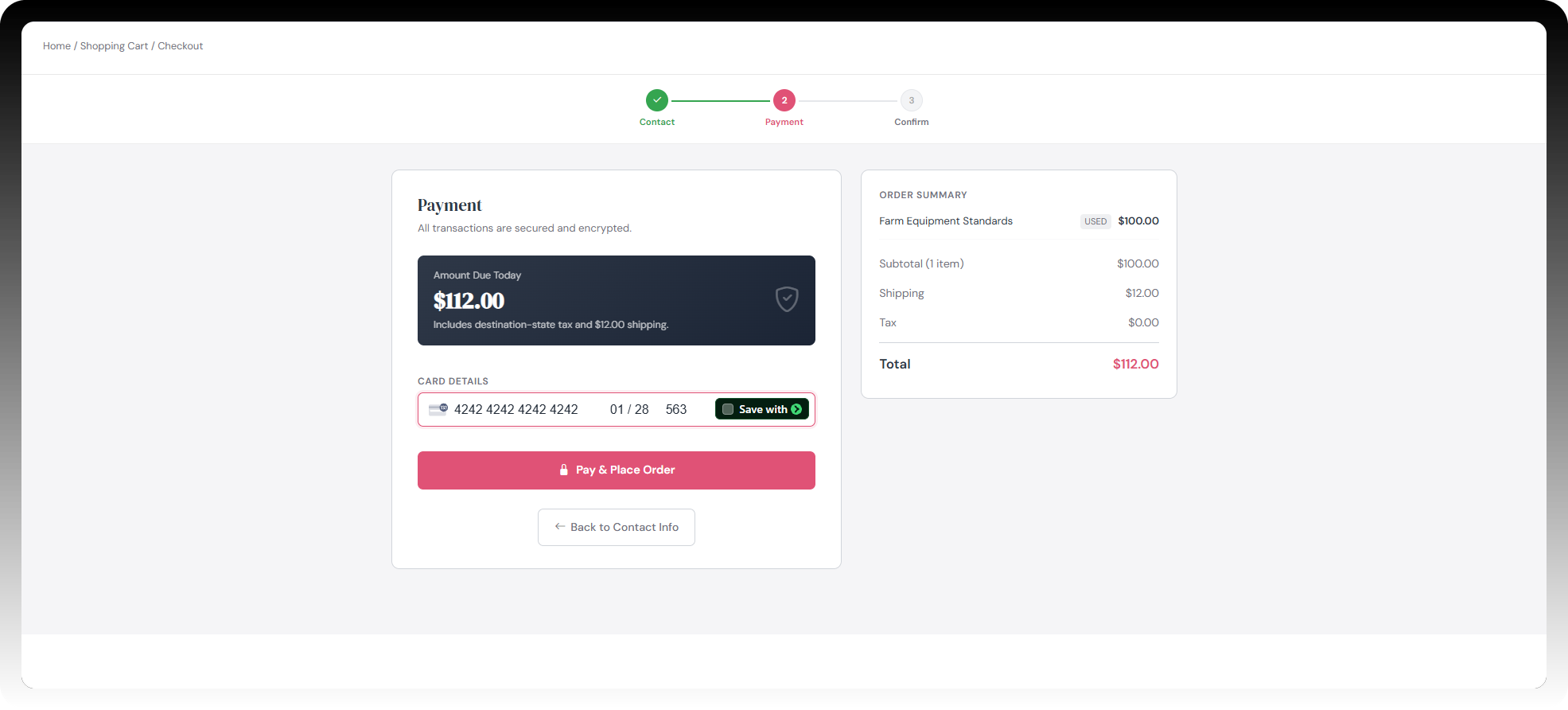
Each book listing shows new, used, and preorder pricing side by side, so comparing options takes seconds. When an instructor requires a new copy, Virtual Store enforces it automatically with no manual review needed. Checkout is three simple steps — contact information, payment, and confirmation, with both shipping and in-store pickup available.
ellipse-img

Why Choose Virtual Store?

Courses Loaded Automatically

Students sign in and their full course list is already there - every required and recommended material for every enrolled course, with no searching by ISBN and no guessing what's needed.

New, Used & Preorder, Side by Side

Every book card shows new, used, and preorder pricing and availability together, so students compare all their options in one glance before they buy.

New-Only Enforcement, Automatic

When an instructor flags a title as new copies only, Virtual Store suppresses used inventory for that material automatically - no manual review, no store staff involvement.

Instructor Notes at the Point of Purchase

Instructor notes attached to a title in Adopt—such as an approved alternate edition—appear directly on the book card, right where students are making their purchase decision.

Three-Step Checkout

Contact information, payment, confirmation - nothing unnecessary. Checkout is Stripe-ready for credit/debit, ACH, Apple Pay, and Google Pay.

Shipping or In-Store Pickup

Students can choose to have their materials shipped or picked up in store directly at checkout. Shipping options can be edited at your discretion.

Partner with HokuBook

Virtual Store turns the biggest drop-off point in online course material sales into the easiest step in the process. Courses load automatically, pricing is clear, and checkout takes three steps - no more guessing, no more abandoned carts. It's part of a five-product suite covering the full material lifecycle, from sourcing with Source to student buyback with Online Buyback.

Virtual Store Demo

Want to Learn More?

See how HokuBook can simplify sourcing, buyback, and inventory management for your organization. Schedule a quick demo with our team to explore features, pricing, and workflows tailored to your needs.

Full Suite Demo

Frequently Asked Questions

Do I need to know my book's ISBN to find it?

toggle

No. Browse by Term, Department, Course, and Section, or sign in and let your enrolled courses load automatically with everything you need already listed.

How do I know the listings match what my instructor actually requires?

toggle

Every listing comes straight from the adoption your instructor approved - nothing is guessed or carried over from a prior term, so what's listed is what's required.

Can I choose between new and used copies?

toggle

When both are available, each book card shows new, used, and preorder pricing side by side so you can compare before you buy. If your instructor requires a new copy only, used inventory won't be shown for that title.

My instructor mentioned something specific about which edition to buy - where do I see that?

toggle

Any note an instructor attaches to a title appears directly on the book card, right where you're deciding what to buy.

Do I need to create an account to check out?

toggle

No password required. Sign in with a one-time code sent to your email.

What are my shipping options?

toggle

Choose to have materials shipped or pick them up in store, right at checkout.

What payment methods are accepted?

toggle

Checkout is Stripe-ready and accepts credit and debit cards, ACH/bank transfer, Apple Pay, and Google Pay.

Scroll up